
Discord Server Structure for Brands: The Complete Setup Guide
The structure of your Discord server determines whether new members feel oriented or overwhelmed, whether conversations concentrate in the right places, and whether your team can manage the community without burning out. Most brand servers are set up reactively — channels get added when someone asks, roles get created when it seems convenient — and the result is a cluttered, confusing experience that undermines everything else you are trying to do.
This guide covers how to structure a brand Discord server deliberately: the channel architecture, the role system, the permission logic, and the decisions that separate a server that works from one that just exists.
The Core Principle: Structure Follows Strategy
Before creating a single channel or role, you need to know what your server is for. The 4-Job Framework — Retention Engine, Feedback Loop, Support Hub, Growth Channel — should determine your structure. A server designed to retain existing customers looks different from one designed to generate referrals or collect product feedback.
The most common structural mistake is building a general-purpose server with channels for everything and a clear purpose for nothing. Every channel should exist because it serves the server's primary job — not because it seemed like a good idea at setup.
Channel Architecture: The Complete Setup
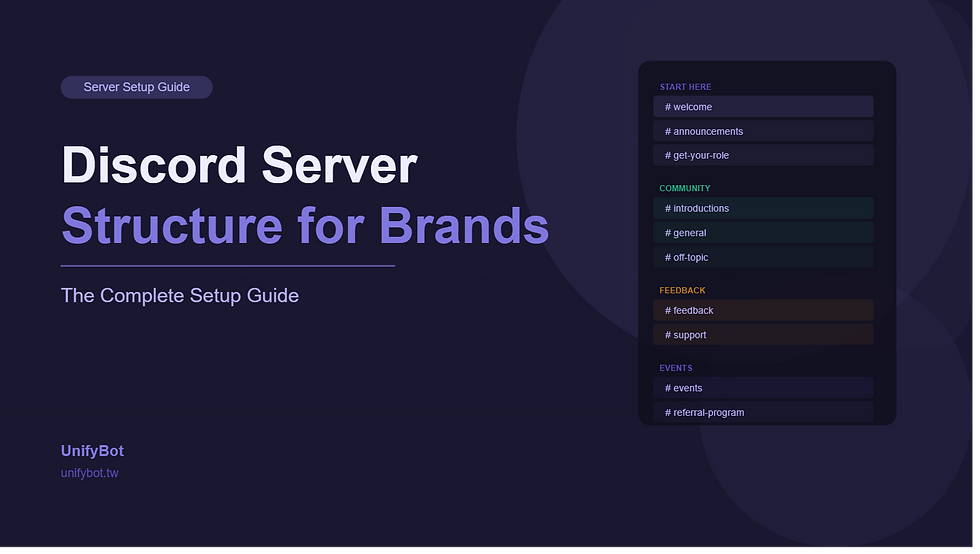
Channels should be organized into category groups that reflect the member journey — from arrival to orientation to engagement to community. Here is the complete recommended structure for a brand Discord server at launch:

Category 1: Start Here
This category is visible to everyone, including unverified new arrivals. It contains only what a new member needs in their first five minutes.
welcome — server purpose, rules, and the verification prompt. Read-only except for the verification interaction.
announcements — brand updates, product news, and major community events. Brand-only posting, members read.
get-your-role — role selection prompt where members self-identify. Locked after selection.
Category 2: Community
Unlocked after role verification. The core social space of the server.
introductions — members introduce themselves after joining. First-action prompt lives here.
general — open discussion. The primary conversation channel for the community.
off-topic — anything not directly related to the brand or product. Prevents general from getting cluttered.
Category 3: [Your Brand Topic]
Named after your primary subject area. Contains channels specific to what your community is actually about.
Two to four topic-specific channels based on your product, content area, or community focus.
A showcase or share channel where members post their work, results, or creations.
A resources channel with pinned links, guides, and reference material.
Category 4: Feedback and Support
Structured channels for input and help requests. Critical for Feedback Loop and Support Hub communities; useful for all.
feedback — structured product or community feedback. Pinned guidelines for how to submit useful feedback.
bug-reports — for product communities. Template pinned at top.
support — general help requests before ticket creation. Redirect complex issues to tickets.
Category 5: Events and Programs
All community programming in one place.
events — upcoming events, AMAs, and community activities. Brand-managed calendar.
referral-program — leaderboard, invite link instructions, and milestone announcements.
community-spotlight — weekly or monthly recognition of active members.
Category 6: Staff and Admin (Hidden from members)
Visible only to your team and moderators.
mod-log — automated log of all moderation actions.
team-discussion — internal coordination channel.
analytics-reports — automated daily or weekly community health summaries.
Role Architecture: The Complete Setup
Roles serve three functions in a brand Discord server: they control channel access, they signal member status, and they create the progression system that motivates long-term engagement. Design your roles to do all three deliberately.

Role | How earned | What it unlocks | Purpose |
|---|---|---|---|
Unverified | Auto on join | Start Here category only | Gate before commitment |
Member | Verification complete | Community and topic channels | Base access for all verified members |
Active Member | 30 messages or 1 event attended | Advanced discussion channels | Reward early participation |
Contributor | 100 messages, 1 referral, or content submission | Role-gated events and higher-tier giveaways | Reward sustained contribution |
Ambassador | Top referrer, event host, or featured creator | Direct team access, exclusive previews, co-branding | Recognize community leaders |
Moderator | Team appointment | Moderation tools and staff channels | Community management |
Publish role requirements transparently in a pinned post in your welcome or announcements channel. Members who cannot see the path to the next level will not pursue it.
Permission Logic: Who Sees What
Permission architecture determines the new member experience and controls channel quality by ensuring only relevant members participate in specific spaces.

Three permission principles to follow:
Progressive unlocking. New members should see less, not more. Start with the minimum viable channel set and unlock additional channels as members earn roles. A member who has been in the server for one hour does not need to see every channel — the complexity creates cognitive overload.
Read-only for brand channels. Announcements, events, and resource channels should be brand-post-only. Members can react and comment in threads, but the main channel stays clean.
Role-gated for premium spaces. Your highest-value channels — exclusive previews, direct feedback sessions, ambassador lounges — should require specific roles to enter. Scarcity creates value.
Server Settings That Matter
Beyond channels and roles, several server-level settings significantly affect the member experience and your team's ability to manage the community.
Verification level: set to Medium (verified email required) at minimum. Phone verification for communities at high risk of bot raids or spam.
Content filter: enable the explicit media filter for all members to prevent inappropriate content from appearing without manual review.
Default notifications: set to mentions only by default. Members who receive notifications for every message in every channel quickly mute the entire server.
Slow mode: enable for high-traffic channels to prevent message flooding and maintain conversation quality. Two to five seconds is sufficient for most general channels.
Thread auto-archive: set active threads to auto-archive after 24 or 72 hours to keep channels from becoming cluttered with stale conversations.
FAQ
How many channels should a brand Discord server have?
Launch with 8 to 12 channels maximum. Most brand servers that launch with more than 15 channels find that activity concentrates in two or three of them while the rest sit empty — creating the impression of a ghost town. Add channels based on observed member behavior, not anticipated need. If members are consistently discussing a topic in general chat that warrants its own space, that is your signal to add a channel.
How should Discord roles be structured for a brand community?
Brand community roles should serve three functions simultaneously: controlling channel access, signaling member status, and creating a progression system. A well-designed role ladder has four to six tiers, with clear and transparent requirements for moving between them. Requirements should map directly to behaviors the brand values — participation, referrals, content creation, or event attendance.
What Discord channels does every brand server need?
Every brand Discord server needs at minimum: a welcome channel with rules and verification, an announcements channel for brand updates, a general discussion channel, a topic-specific channel aligned to the community's primary job, and a feedback or support channel. Everything else should be added based on demonstrated member need, not pre-emptive planning.
How do you prevent a Discord server from becoming cluttered?
Channel discipline is the primary tool. Establish a policy that any new channel requires evidence of demand — recurring discussion of a specific topic in general, or a formal member request with demonstrated interest. Archive channels that have been inactive for 30 days rather than leaving them empty. Use threads within existing channels before creating new permanent channels.
The Bottom Line
Server structure is not a one-time setup decision — it is an ongoing reflection of what your community actually needs. The right approach is to launch with less than you think you need, observe carefully, and expand based on what you see rather than what you anticipated.
A clean, navigable server with clear purpose in every channel retains members better than a comprehensive server where the purpose of most channels is unclear. Structure is not about having everything — it is about having the right things, organized so members always know where to go.


Comments